After looking for a budget but decent business laptop in Australia, I came across these two devices and thought it’d be worthwhile to compare.
The Lenovo ThinkPad E series is Lenovo’s entry level laptop type for business. If you don’t need super thin and super tough, but still want something that is customisable to your needs, these are great as entry level devices. The E560 is the latest 15.6″ model in the E series with an Intel CPU.
On the other hand, the HP ProBook 450 G3 is part of HP’s ProBook series, which is their version of the budget business laptops. I couldn’t work out what the G3 stood for after some research, if you know please share! :) The 450 G3 is also a 15.6″ laptop, customisable to the specifications you choose.
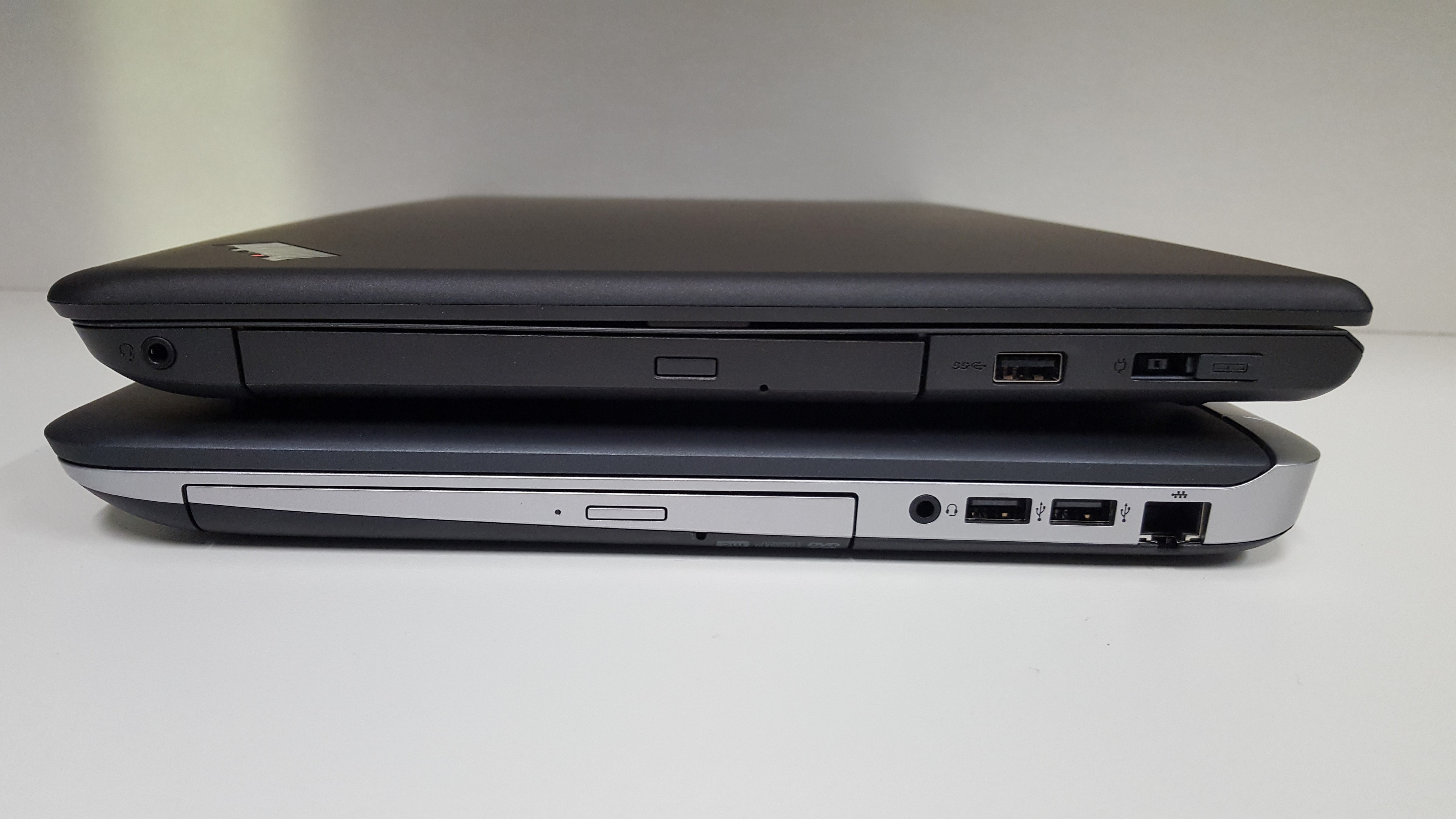
 Back to Back – E560 & 450 G3
After getting my hands on both laptops, there were a lot of similarities. I’ll run through some comparisons below. Specs have been sourced from the Lenovo and HP websites.
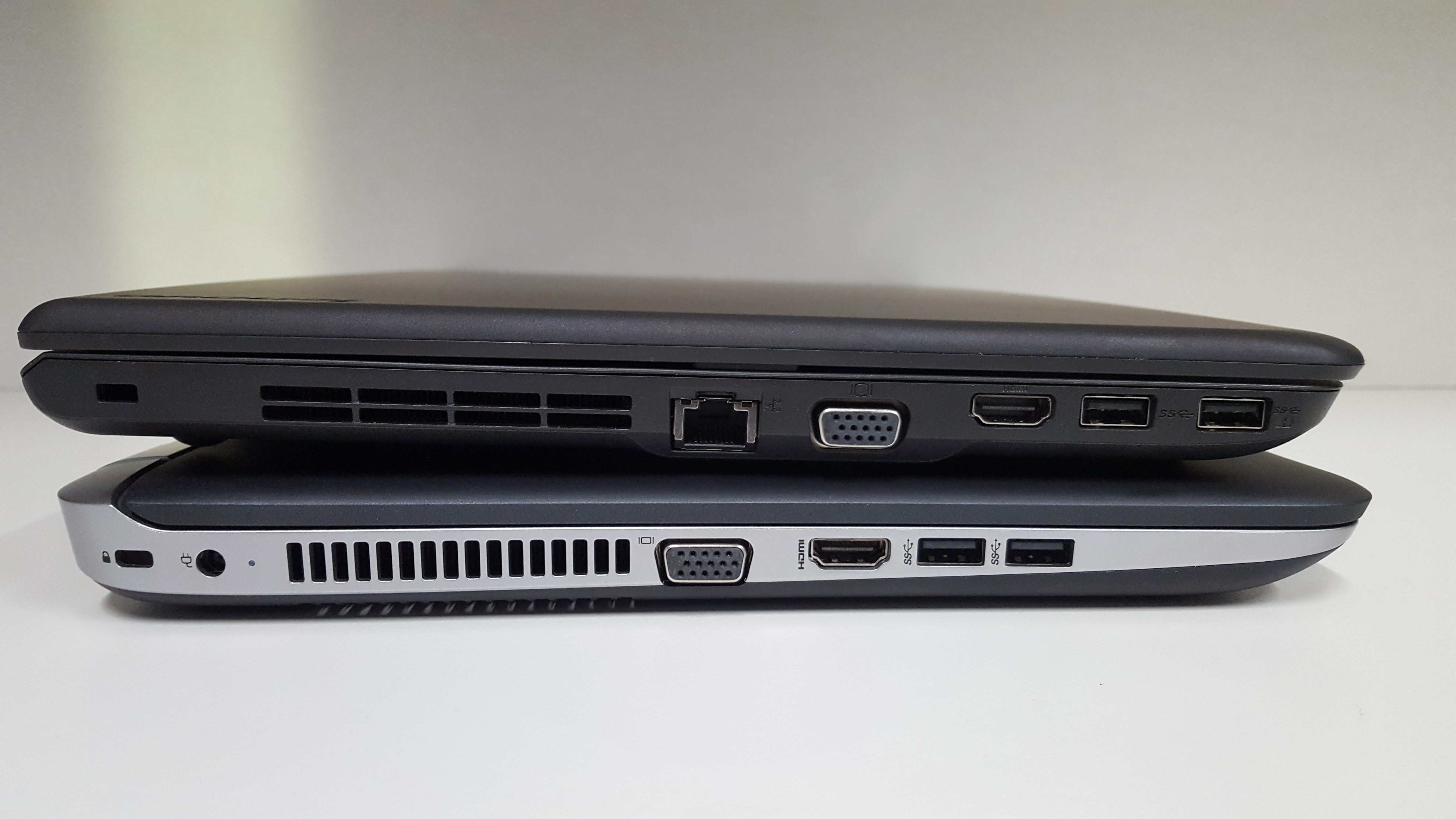
 Side by Side – E560 & 450 G3
Weight and Dimensions
E560
37.7cm x 25.5cm x 2.38~2.71cm
Starting at 2.30 kg
450 G3
37.8 x 26.43 x 2.38 to 2.48 cm (front to rear) (non-touch);
37.8 x 26.46 x 2.55 to 2.65 cm (front to rear) (touch)
Starting at 2.07kg
The HP is a bit lighter to start with, but without a scale and comparing the two build I had, they felt very similar. The HP seemed to have more weight at the back while the Lenovo was more centered. Alternatively, the Lenovo is slightly smaller in length and width, but height varies from shorter to taller depending on the E560 config. To me, all of these aren’t deciding factors between the two.
Winner – Too close to call
CPU
The processor options between the two are identical for the Skylake 6th generation ‘i series’ of Intel CPUs. i3, i5 and i7 are all choosable with the same variant on both models. The HP also has a Pentium processor option, but this is very low end and I personally wouldn’t consider this.
Winner – Both
RAM
Again, both laptops can go up to 16GB of DDR RAM. Interestingly, the Lenovo is DDR3 1600Mhz while the HP is DDR4 2133Mhz. This might sound major, but the performance difference between the two is negligible when benchmarked. Not a deciding factor between the two here, even though it’s nicer to have a newer technology :)
Winner – HP slightly
Storage
450 G3
- 500 GB SATA (7200 rpm)
- 500 GB up to 2 TB SATA (5400 rpm)
- 128 GB up to 256 GB M.2 SATA TLC SSD
- 500 GB SATA SSHD (5400 rpm)
E560
- 500GB 7200 RPM HDD
- 500GB 5400rpm Solid State Hybrid Drive (SSHD) with 8GB NAND flash memory
- 1TB 5400 RPM HDD
- 192GB SSD (although I could find a 256GB SSD option)
Yet again, we’re seeing similar options. I wouldn’t go past SSD, but you do pay a small premium for that. For an entry level business laptop 128GB is probably enough too, but the 256GB is a nice bit of extra room. The HP has the newer M.2 SATA style SSD, but again there is very little difference in that versus the SATA SSD contained in the Lenovo.
Winner – HP slightly
Display
450 G3
- 15.6″ diagonal HD anti-glare flat LED-backlit (1366 x 768)
- 15.6″ diagonal full HD anti-glare slim LED-backlit (1920 x 1080)
- 15.6″ diagonal HD flat LED-backlit touch screen (1366 x 768)
E560
- 15.6″ HD (1366 x 768) Anti-Glare, 220 nits
- 15.6″ FHD (1920 x 1080) IPS, Anti-Glare, 250 nits
 450 G3 & E560 displays
I couldn’t visibly tell a difference in quality between the two. The HP is the only one with a touch option, but you’ll pay for that benefit. If you need touch, then the 450 G3 is the only choice. Otherwise, I’d recommend either with a 1920 x 1080 resolution
Winner: Both, (HP if you need touchscreen)
Graphics
450 G3
- Onboard Intel HD
- AMD Radeon™ R7 M340 (1 or 2 GB DDR3 dedicated, switchable)
E560
- Onboard Intel HD
- AMD Radeon™ R7 M370 2 GB GDDR5
As the Intel HD graphics is part of the CPU, those are again identical between the two models. If you need more grunt though, the E560 has the clear advantage of a better discreet graphics card. Many businesses may not care about this, but if you’re doing modeling or other GPU intensive tasks, this could matter
Winner: Both, (Lenovo if you need a dedicated GPU)
Ports
450 G3
- 2 USB 3.0
- 2 USB 2.0
- 1 HDMI
- 1 headphone/microphone combo
- 1 AC power
- 1 RJ-45
- 1 VGA
- 1 multi-format digital media reader
E560
- 3 x USB 3.0
- 4-in-1 card reader (MMC, SD, SDHC, SDXC)
- Lenovo OneLink Docking Port
- VGA
- HDMI
- Combo audio/microphone jack
- Ethernet (RJ45)
- Security keyhole


 E560 on top of the 450 G3
Having lots of useful ports is important. The Lenovo has an extra USB 3 port at the cost of two USB 2.0 ports. Personally I’d rather the 3 x USB 3.0 but if you need a wired keyboard and mouse, then those would be better used on the HP’s two USB 2.0 ports, leaving two USB 3.0 free. The Lenovo having the Onelink Docking Port is good if you want a dock, otherwise on the HP you’d have to use one of the USB 3.0 ports for this.
Winner: Too close to call
Camera
450 G3
E560
- Integrated 720p HD Camera, with Dual MIC
- 720p HD Intel® RealSense™ 3D Camera
The quality of the two cameras are the same, but the Lenovo has an optional Intel RealSense 3D Camera. The model I had was set up this way, which gives you Windows Hello sign in – look at the camera for a second and you’re logged in without touching the laptop. This is one of those features that you won’t be bothered about until you have it, then you’ll be annoyed when you use another computer missing the feature!
Winner: Lenovo (if you want to pay extra for RealSense)
Keyboard and Trackpad
 HP ProBook 450 G3 Keyboard and Trackpad
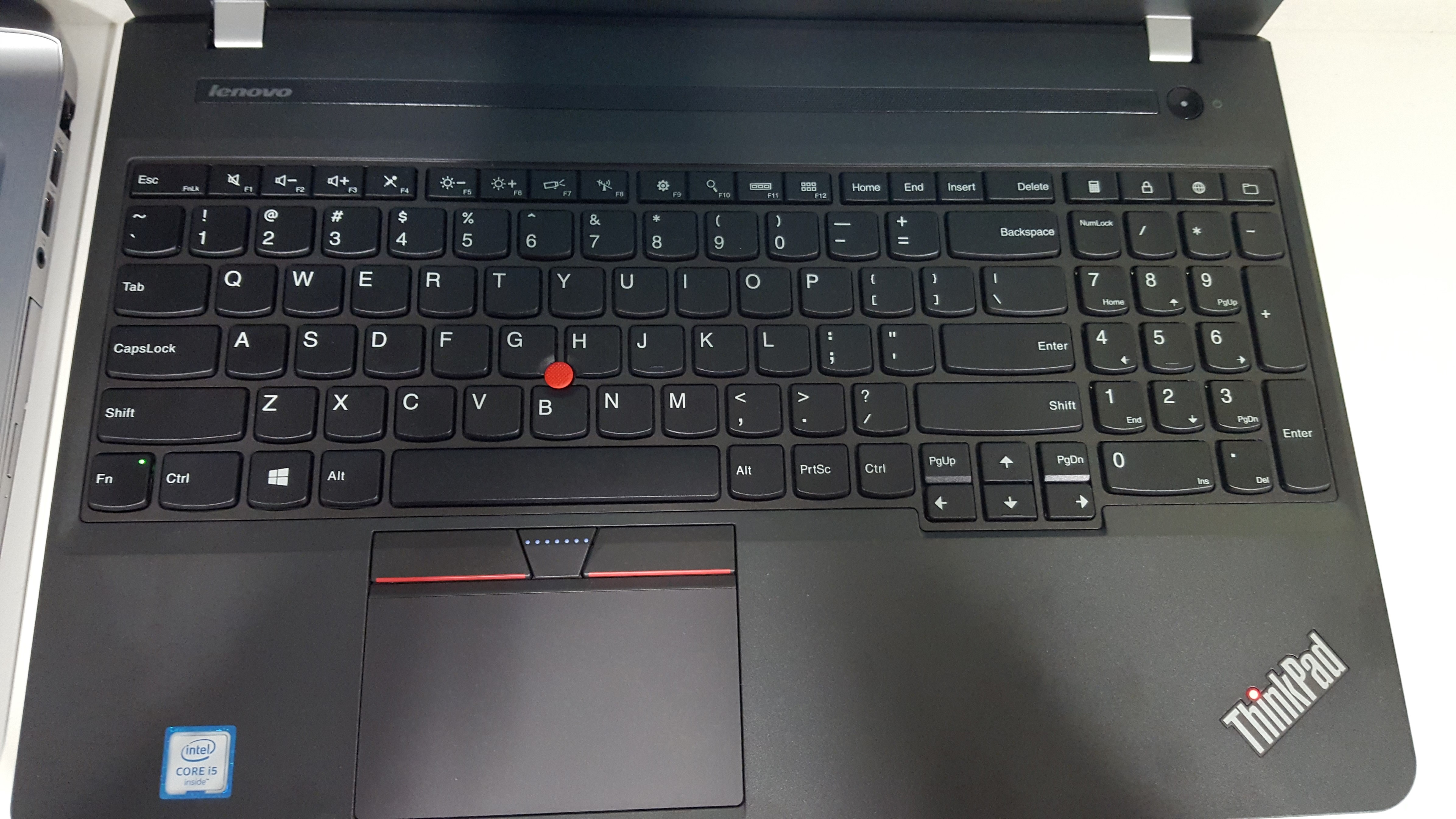
 Lenovo ThinkPad E560 Keyboard and Trackpad
These are more of a personal preference, but to me the Lenovo keyboard and trackpad were a lot nicer than the HP’s. The trackpad itself feels of higher quality, as do the keys. The HP does have an optional backlit keyboard though, so if you’re doing a lot of typing in the dark, that may trump the quality and feel of the Lenovo. The lenovo also has a pointing stick, and full arrow keys which you can see in the photos above.
Winner: Lenovo
Wrap up
There were some other features I didn’t mention, such as both having a DVD drive – but this doesn’t help you choose between the two. The Lenovo is most customisable online where each option was a tickable addon, clearly showing the cost when purchasing. HP seemed to be more clunky, where I could only find a single model for sale that couldn’t be customised. Speaking to them online or contacting them may be a way to get the particular features you want.
Due to this, I couldn’t spec both up the way I’d want and give a price comparison. Here’s the optional specifications I’d pick which both models support, which should be best bang for buck:
| Processor : Intel Core i5-6200U Processor (3MB Cache, up to 2.80GHz) |
| Operating System : Windows 10 Professional 64 |
| Hard Drive : 256 GB Solid State Drive, SATA3 OPAL2.0 – Capable |
| Display : 15.6 FHD (1920×1080) IPS Non-Touch |
| Memory : 8GB PC3-12800 1600MHz DDR3L (1 DIMM) |
| Graphics : Intel HD Onboard |
|
Of course, the dedicated AMD GPU would be nice, and depending on price I’d add one on too.
If you haven’t guessed by now, there’s no clear winner. I’d be choosing on price primarily, and if it happened to be the same, the above information will hopefully help you pick one over the other, depending which little extras you want. Both are solid laptops, and with the right specifications neither would be a regrettable purchase.
I was also asked this on Twitter about the comparison of the two laptops:
My answer on this is the same, both would be a great fit and I’d choose on price. The laptop can be connected to your TV via HDMI, and a remote connected via USB dongle to control something like Kodi.
If you have any questions or comments, please write below!

 The laptop you might win!