Tag: Lenovo

  • Lenovo ThinkPad P51s Review

    Lenovo ThinkPad P51s Review

    Thanks to Lenovo and their Lenovo Insiders program #LenovoIN,  I received a new Lenovo ThinkPad P51s.

    I’ve previously reviewed the ThinkPad P50 (which has been superseeded by the ThinkPad P51) which is the big brother or sister to this device. Where the P51 is a top end workstation with multiple hard drive bays, 4 RAM slots and so on, the P51s drops a few of these extra features to be a bit more mobile, while still fitting in the workstation class.

    Tech Specs

    Here’s an overview of the possible technical specifications of the P51s, with the options I have on this model bolded. I’ll talk in more details about some of these below.

    Processor

    • 7th Gen Intel® Core™ i5-7300U Processor (3M Cache, 2.6GHz, max. 3.5GHz), vPro
    • 7th Gen Intel Core i7-7500U Processor (4M Cache, 2.7GHz, max. 3.5GHz)
    • 7th Gen Intel Core i7-7600U Processor (4M Cache, 2.8GHz, max. 3.9GHz), vPro
    Operating System
    • Windows 10 Home 64-bit
    • Windows 10 Pro 64-bit
    Display

    • 15.6″ FHD (1920 x 1080), anti-glare, IPS, 250 nits, 700:1 contrast ratio
    • 15.6″ FHD (1920 x 1080), anti-glare, IPS, 250 nits, 700:1 contrast ratio, with on-cell touch
    • 15.5″ UHD (3840 x 2160), anti-glare, IPS, 300 nits, 1300:1 contrast ratio
    Graphics
    • Intel HD Graphics in processor and NVIDIA® Quadro® M520M, 2GB GDDR5 memory
    Memory

    • Up to 32GB / DDR4 2400MHz1, dual-channel capable, 2 x SO-DIMM sockets ( 2 X 8gb16Gb)
    Webcam
    • HD 720p
    Storage
    • SSD / SATA 6Gb/s: 128GB
    • SSD / PCIe NVMe, 8Gb/s, OPAL 2: 256GB / 512GB / 1TB
    • HDD / SATA, 6Gb/s, 2.5″, 7mm high: 500GB 7200RPM / 1TB 5400RPM
    Dimensions (W x D x H)
    • 365.8 x 252.8 x 19.95 – 20.22 mm
    Weight
    • Discrete non-touch:
      • With 4 + 3-cell: starting at 1.99 kg
      • With 4 + 6-cell: starting at 2.18 kg
    • Discrete multi-touch:
      • With 4 + 3-cell: starting at 2.01 kg
      • With 4 + 6-cell: starting at 2.20 kg
    Internal battery
    • Integrated 4-cell (32 Wh)
    External battery
    • 3-cell (24 Wh) or 6-cell (72 Wh)
    Battery life
    • 4 + 3-cell: up to 13.5 hours
    • 4 + 6-cell (72 Wh): up to 26.4 hours
    AC adaptor
    • 65W
    Keyboard
    • 6-row, spill-resistant, multimedia Fn keys, numeric keypad, optional backlight
    Fingerprint reader
    • Swipe style fingerprint reader on the palm rest (optional)
    Audio support
    • HD Audio, Realtek® ALC3268 codec / stereo speakers, 2W x 2 / dual array microphone, combo audio/microphone jack
    Ethernet
    • Intel Ethernet connection
    Wireless LAN

    • Intel Dual Band Wireless-AC 8265, 2×2, Wi-Fi + Bluetooth® 4.14, M.2 Card
    • Intel Tri-Band Wireless-AC 18265, 2×2, WiGigTM + Wi-Fi + Bluetooth® 4.14, M.2 Card (configurable from model with UHD display only)
     Ports
    • 3 x USB 3.0 (1 x AlwaysOn)
    • 1 x USB-C/Thunderbolt
    • HDMI
    • Ethernet (RJ45)
    • Combo audio/mic
    • CS13 Docking
    • Media card reader (SD 3.0 UHS-I)
    • Smart Card Reader (optional)

    Processor: It’s always nice to have the fastest. This has Intel 7th gen CPU options, which now are 1 behind the latest, but usually between single generations there’s not that much of a difference.

    Display: Would have been nice to have touch screen, but I’m still happy with a 1080p res. Above that, and Windows 10 scaling + remote desktopping doesn’t usually make for a good experience. It seems like a higher quality display than what’s on my P50, something a bit more crisp about it.

    Graphics: Having a dedicated graphics card is always a bonus on a laptop, and the 2GB NVIDIA Quadro M520M is about the same as a GeForce 940MX if you’re looking up benchmarks. This should give you high level gaming at 720p, or decent level gaming at 1080p.

    Lenovo ThinkPad P51s Display

    Memory: It doesn’t have 4 slots like it’s P51 sibling, but can still take two 16GB sticks. This one has two 8GB sticks which is plenty, but if I wanted to run lots and lots of VMs or a few beefy ones, I might upgrade that amount.

    Battery: This took me a little bit to realise. There’s both an internal battery, and an external battery. I first connected the battery that came with it and noticed it was only 3 cell. I thought that wasn’t too big, but then found it also had a 4 cell battery inside. If you remove the external battery and the power plug, the laptop keeps going. 13.5 hours is a pretty good claim, and makes sense with that much battery power. It starts getting crazy with a 26.4 hour claim when using a 6 cell battery plus the internal 4 cell, and a good option if you really need your laptop to stay awake longer than you will.

    Ports: Let’s look at each side of the laptop –

    Left side – Rectangle charger plug, USB3, USB-C, Smartcard slot (filled in on this one)

    Back – Nothing to see here, battery and hinges

    Right side – 3.5mm headphone port, 2x USB3, full HDMI, full Ethernet

    Another point I noticed about this laptop is that it came with a USB-C power cable, but still had provision for the older rectangle power cord. Handy if you have those from the last few years of ThinkPads as either port will charge the laptop.

    Keyboard: Most people are fans of the ThinkPad style of keyboards, and this one even has a number pad. Nothing too different or tricky here – I liked the feel of both the keys and the trackpad on this model, and there’s no buttons that felt out of place for me (good to see Caps Lock where it should be!)

    Lenovo ThinkPad P51s Keyboard

    Other observations: The circular power button felt slightly off center, as in the left side of the button dipped in further than the right side. Not something that will make any difference, and isn’t visible unless you look really closely, but still worth mentioning to anyone that will notice non-perfect things like me :)

    At around 2KG the laptop isn’t light, but it’s much lighter than the P50 on my desk. It feels solidly built, the hinge style seems strong and there’s very little screen wobble. The fingerprint reader is also nice for Windows Hello, but this unit actually came with Infa red cameras too – meaning I can use my face to log in. You visibly see something flashing when it tries to read your face (at a guess they’ve got some sort of film over the lenses to show that, since IR is invisible to our eyes normally.

    Beyond that, I’m very happy with this laptop. There’s no frills to it’s appearance, so it’s square and black like most ThinkPads, but it’s enjoyable to use with a screen that has a decent bezel.

    The laptop is also pretty much a ThinkPad T570 with a Quadro graphics card in it, so if you’d rather the consumer Geforce option, check that out too. If you’re looking at videos on how to take this laptop apart, the T570 is identical.

    Lenovo ThinkPad P51s vs P51 or P71: If you’re wondering which to get, the main decision is purely tech specs based. The P51s can take 2 RAM sticks, for a max 32GB RAM. The P51 however has 4 slots, which doubles the max to 64GB.

    It’s similar with the hard drives – a single drive in the P51s, versus the P51 that can hold either; a combo of two M.2 drives and one 2.5″ drive, or two 2.5″ drives. The third spec factor is the dedicated graphics card which in the P51 has 4GB RAM rather than the P51s’ 2GB. The M2200 is also a higher end card than the M520, and worth looking up comparisons on performance.

    Finally the CPU, although the P51s can take a high end i7, it’s still not the Xeon you can get in the P51. Deciding what you want and need in specs, or leaving your options for upgrading in the future. If you don’t need the high end options, the P51s is a great choice which comes in a much thinner form factor, and a bit less weight.

    All the above applies to the P71 too, just with a larger 17.3″ screen.

    Feel free to ask any questions below about the laptop, and I’ll leave a banner here that should update on any Lenovo Australia deals currently on offer:

  • Lenovo ThinkPad X1 Yoga Gen 2 Review

    Lenovo ThinkPad X1 Yoga Gen 2 Review

    In 2016, the first Lenovo Thinkpad X1 Yoga (which I reviewed) was released in the ThinkPad lineup. It was my pick of laptops, being a solid all-rounder.

    It’s 2017 now, and the second generation of this laptop has been out for a few months now. You can buy it straight from Lenovo or other suppliers… but is it still as good, and what’s changed in this latest generation?

    Let’s start with the tech specs:

    Processor
    • 7th Gen Intel® Core™ i5-7200U Processor (3M Cache, 2.5GHz, max. 3.1GHz)
    • 7th Gen Intel Core i5-7300U Processor (3M Cache, 2.6GHz, max. 3.5GHz), vPro
    • 7th Gen Intel Core i7-7500U Processor (4M Cache, 2.7GHz, max. 3.5GHz)
    • 7th Gen Intel Core i7-7600U Processor (4M Cache, 2.8GHz, max. 3.9GHz), vPro
    Operating System
    • Windows 10 Home 64-bit
    • Windows 10 Pro 64-bit – Lenovo recommends Windows 10 Pro.
    Display
    • 14″ FHD (1920×1080), glossy, 270 nits, 700:1 contrast ratio, narrow bezel FHD panel (on models with no WWAN only), IPS
    • 14” WQHD (2560×1440), glossy, 270 nits, 700:1 contrast ratio, IPS
    Multi-Touch
    • Capacitive touch panel, supports 10-finger gesture
    Hinge / mode
    • Yoga hinge, 360 degree / Laptop, tent, stand and tablet
    Pen
    • ThinkPad Pen Pro
    Graphics
    • Intel HD Graphics 620 in processor only, supports external digital monitor via HDMI or USB Type-C; supports 3 x independent displays; max. resolution: 4096×2304@60Hz (USB Type-C), 4096×2160@24Hz (HDMI)
    Adaptor (optional)
    • HDMI to VGA adaptor
    • USB-C to VGA adaptor
    • USB-C to DisplayPort adaptor
    Memory
    • 8GB / 16GB, LPDDR3 1866MHz, soldered to systemboard
    Webcam
    • HD 720p resolution, fixed focus
    • IR camera and HD 720p camera (option is available on models with narrow bezel FHD panel only)
    Storage
    • M.2 SSD / SATA 6.0Gb/s: 128GB
    • M.2 SSD / PCIe NVMe: 256GB OPAL2 / 512GB OPAL2 / 1TB OPAL2
    Optical drive
    • None
    Dimensions (W x D x H)
    • FHD/WQHD: 333 x 229 x 17.05 mm
    Weight
    • FHD/WQHD: 1.42 kg
    Case colour
    • Black
    • Silver
    Case material
    • Carbon-Fibre Hybrid
    Battery
    • 4-cell integrated battery (56Wh)
    Battery life
    • FHD: up to 15 hours
    • WQHD: up to 14 hours
    AC adaptor
    • 45W Type-C
    • 65W USB Type-C (support Rapid Charge)
    Keyboard
    • 6-row, multimedia Fn keys, spill-resistant, wave keyboard, backlit
    UltraNav
    • TrackPoint® pointing device and multi-touch with 3+2 buttons click pad
    Fingerprint reader
    • Touch style fingerprint reader on keyboard bezel
    Audio support
    • HD Audio, Dolby® Audio Premium / stereo speakers, 2W x 2 / dual array microphone, combo audio/microphone jack
    Ethernet
    • Gigabit Ethernet via Ethernet (RJ-45) adaptor
    Wireless LAN
    • Intel Dual Band Wireless-AC 8265, 2×2, Wi-Fi + Bluetooth® 4.1, M.2 Card
    • Intel Tri-Band Wireless-AC 18265, 2×2, WiGig™ + Wi-Fi + Bluetooth® 4.1, M.2 Card (available only on models configured with vPro processor)
    Wireless WAN
    • Sierra EM 7430 (optional)
    SIM card slot
    • Micro-SIM card slot (models with 4G card only)
    NFC
    • None
    Ports
    • 2 x Intel Thunderbolt 3
    • 3 x USB 3.0 (1 x AlwaysOn)
    • HDMI
    • microSD
    • microSIM (models with 4G card only)

    Processor wise, we’ve jumped a generation too, now on the 7th Gen Intel series of CPUs. Pretty standard there. The 8th Gen has already started releasing Q4 2017, but that’s early days with both series being released in the same year, and companies like Lenovo need time to incorporate these into their products.

    The display options are good too, the two resolutions I’m happy to pick from. OLED is supposed to be available, but I have personally not seen one in real life, nor can I find any information in Lenovo’s tech specs on it, so you’ll have to read some other reviews to get a take on that. From everything I’ve read though, it’s highly praised. Hopefully I’ll get to see one soon!

    Touchscreen, 360 degree hinges and the stylus are standard again, which makes this device particularly versatile. It’s still my preferred style of hybrid laptop/tablet as no functionality is lost in laptop mode, and you don’t need to undock/dock and worry about where half the device gets stored.

    Graphics is still on board, which these days is more than enough unless you’re doing high end graphic design or gaming. Having a full HDMI port is nice too, instead of finding adapters or the right cable when outputting video – full size HDMI is today’s standard.

    RAM wise, 8GB and 16GB options are all you need, again unless you’re doing some real high end work, or trying to run several virtual machines at once. Storage is the same as last year, no complaints there.

    The size of the newer Yoga is identical to last year’s, apart from this new one being thicker. THICKER? Yep, a little, 0.25mm. It’s also heavier by 6 grams. I don’t think you’re going to notice either of these changes though, here’s then Gen 1 and Gen 2 stacked together:

    X1 Yoga Gen 2 on top of a X1 Yoga Gen 1

    You might be wondering why the newer one is slightly thicker and heavier, and I believe this is because of the keyboard.

    It’s called a ‘Wave Keyboard’ and it rises and falls with the opening and closing of the screen. The idea of this is to protect the keys from damage when in tablet mode:

    I like it, and the keyboard itself still feels normal despite having this extra ability.

    Battery life has been improved again, and quite drastically – a claim of 4-5 hours more than the previous generation. Quite impressive!

    Here’s a full photo of the keyboard:

    After using this for a while, I have no faults to pick. Caps Lock is where it should be, as well as page navigation buttons (such as home and page up). The keys are nice to use, trackpad is a great size and has the physical mouse buttons if you prefer. There’s also a fingerprint reader that works great with Windows 10 Hello for almost instant logins.

    If you’re trying to identify a X1 Yoga Gen1 vs a X1 Yoga Gen2 (beyond checking the side for USB-C!) it’s easy to see via the keyboard. For one, the PrtSc (print screen) button is different:

    X1 Yoga Gen 1 PrtSc

    X1 Yoga Gen 2 PrtSc

    Or, you can look at the F12 button, the newer Yoga has a star:

    X1 Yoga Gen 1 F12

    X1 Yoga Gen 2 F12

    Let’s have a look at the sides of the laptop:

    Left Side: USB-C in, USB-C out, USB 3, USB 3 with power out (can charge a phone without powering on laptop)

    Right Side: Stylus, Power, 3.5mm Headphone Jack, Ethernet adapter port, USB 3, Full Size HDMI

    Back – Hinges, Protected Slot for SD and SIM
    As you may have noticed, the old rectangle power cable port has gone, replaced by USB-C. This is the new industry standard, and it’s good to see Lenovo be a part of that. USB-C charges quickly, and if you have a phone with the same port, can be used to charge that too. The rapid charge claims to get to 80% charge in 60 minutes which I’m very happy with, and experienced similar charge times in real life.

    Also there’s no full size network port – the laptop would have to be thicker because of this, so I can live with a dongle on that. Most of the time the laptop is being used portable on Wifi, or at a workstation and using a dock, so this isn’t a dealbreaker.

    Speaking of docks, that’s what the USB-C out port is for. My experience so far with those docks has been much better than the older USB 3 models which seemed to lock up occasionally, and there’s the added bonus of running power and data over 1 cable!

    I haven’t picked on this year’s X1 Yoga because there’s really that little to pick at. The 7th Gen CPU only supports Windows 10, so you can’t use Windows 8.1 or 7, but that’s an Intel CPU/Microsoft limitation across all laptops and desktops now. Beyond that, I really like this laptop – even more than last year’s. At my work, this is our standard laptop purchase now, which is why I’ve been able to review it, tied into a Windows 10 rollout (It wasn’t given to me by Lenovo).

    I can honestly say that I believe this is the right time to upgrade if you’re thinking about it. This laptop will last many years, incorporates all the new features and connections that I think are worth considering, and doesn’t leave anything behind. You won’t be disappointed with this laptop!

    Here’s a video review of the laptop from MobileTechReview:

  • Lenovo Yoga 910 Review

    Lenovo Yoga 910 Review

    Just over a year ago, I received the Lenovo Yoga 900 laptop to review. Since then, an unfortunate accident occurred when I closed the laptop onto the end of a USB cable, creating a horrible crunching sound and cracking the screen.

    Lenovo Australia have come to the rescue and provided me a newer Yoga 910 to review instead! How does it compare to the Yoga 900?

    The new boxed Lenovo Yoga 910

    For starters, here’s the specs with the red options matching what my laptop has:

    Processor
    • 7th Gen Intel® Core™ i5-7200U Processor (3 MB Cache, 2.5 GHz, 3.1 GHz max)
    • 7th Gen Intel Core i7-7500U Processor (4 MB Cache, 2.7 GHz, 3.5 GHz max)

    Operating system Windows 10 Home 64-bit Display
    13.9″ FHD (1920 x 1080) IPS
    • 13.9″ UHD (3840 x 2160) IPS

    Graphics
    Intel HD Graphics 620 in processor

    Memory
    8 / 16 GB DDR4 2133MHz

    Webcam
    Integrated 720p HD Camera

    Storage Solid State Drive (SSD), via PCIe NVME:
    256GB / 512 GB / 1TB

    Dimensions (W x D x H)
    323 x 224.5 x 14.3 mm

    Weight
    Starting at 1.38 kg

    Case colour
    • Champagne Gold
    • Gunmetal Grey
    • Platinum Silver

    Case material
    Aluminium

    Battery life
    • FHD model: 15.5 hours

    Keyboard
    Full-size keyboard, backlight, 6-row, multimedia Fn keys

    Touchpad
    One-piece multi-touch touchpad

    Fingerprint reader
    Yes, Hello support

    Audio
    HD audio, 2 x JBL® stereo speaker with Dolby® Audio Premium certification dual array microphone combo audio/microphone jack

    Wireless LAN
    11ac, 2×2, Wi-Fi + Bluetooth® 4.1

    Ports
    • 2 x USB 3.0 (1 x Type-C with video-out, 1 x Type-A)
    • 1 x USB 2.0 (support DC-in function)
    • Combo audio/microphone jack

    Specs on the box

    The Yoga 910 is another high end consumer laptop, following in the steps of laptops such as the Yoga 900S, 900, 3 Pro and 2 Pro. It feels very solid, and is slightly heavier than the Yoga 900, probably due to the aluminium chassis. Eric Xu did a great writeup comparing the two which is worth reading if you’re deciding which one to get.

    Lenovo Yoga 910 Ready to go

    While looking incredibly sleek and professional (especially in this gunmetal grey version, which to me is just black), it is a fingerprint magnet. That’s the price you pay to look this nice it seems. Another point that stands out is the bezel around the screen – very thin on all edges apart fro the bottom. At first this looks a little strange, but I quickly got used to it.

    I’m happy with the 1920 x 1080 screen resolution this particular laptop has, and the screen quality itself was high with great viewing angles – so don’t feel that you have to go for the 4K res option unless you really want it.

    The watch hinges are back again, and they seem even sturdier than previous models. They allow the laptop to bend all the way around (as all Yogas do), and I didn’t experience any screen wobble at all when typing.

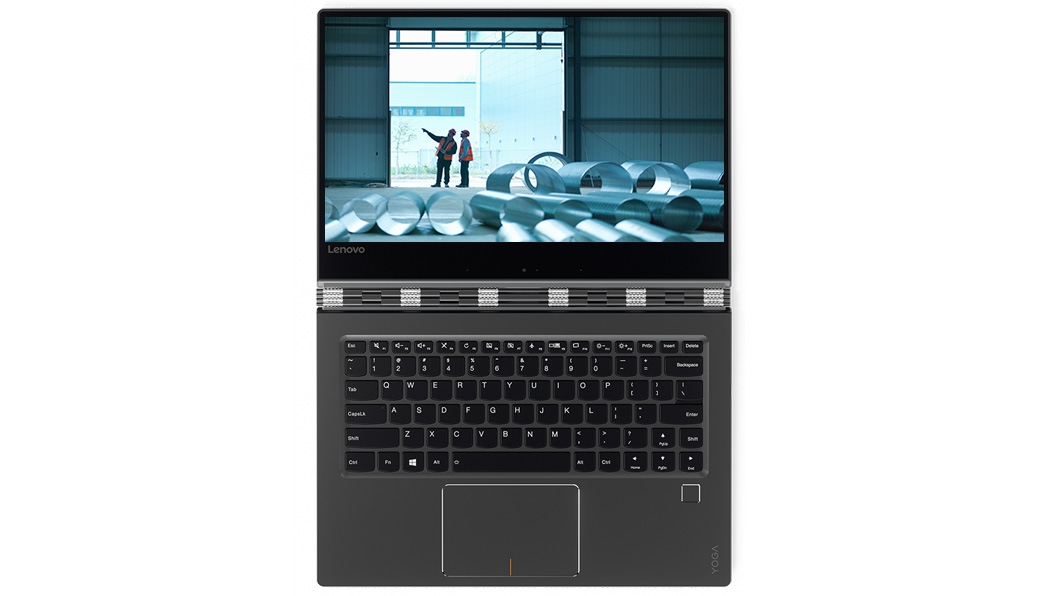
    Lenovo Yoga 910 Keyboard and Trackpad

    The keyboard buttons are nicely laid out, with full size arrow keys. Home and End require the Fn button, but they’re easy to reach. The trackpad itself is quite large, with the single clicky style rather than being a solid no-click style that’s found on most of the X1 series, such as the X1 Yoga. The backlit keys also work well to see in the dark, and the addition of the fingerprint reader combined with Windows Hello allows for a very quick and effortless login.

    Test

    Lenovo Yoga 910 Right Side

    Lenovo Yoga 910 Left Side

    As you can see in the above side shots, there’s very few ports. Power is provided by the new standard USB-C which was also on the X1 Tablet, and will probably be standard on all laptops eventually. Beyond that, there’s one USB-C out and one USB 3.0 port. Of course a USB hub will give you more ports if you need it, or you can look into a USB-C dock that will provide a bunch of connection types. Yes, we still call them ‘docks’ even though we don’t dock them anymore.

    The battery life is impressive – 15.5 hours. It’s hard to test and keep track of that time to see how accurate it is. Windows 10 thinks there’s still over 10 hours left on 50% remaining, and I’ve been using it sporadically in the last few days next to me.

    Performance wise, there is nothing lacking in what you’d expect from this laptop. High end gaming or running several virtual machines isn’t what this laptop (nor most laptops) can do, but it’ll serve most purposes for years.

    The Yoga 910 contains some small benefits and improvements over the Yoga 900 – price being equal, the 910 is the laptop to pick. There’s no reason to upgrade from a 900 to a 910 though, and anything older is a decision you’ll need to make for yourself. If you have a laptop that works for you and isn’t slow, then stick with what you have.

    JB Hifi’s display on the flagship Dell, HP and Lenovo consumer laptops

    If you’re looking to compare similar laptops, Dell and HP have their own offerings. Dell has the XPS 13 while HP has the Spectre x360. As I haven’t used either, I can’t comment on which I think is better, so check them out for yourself.

    For myself, the Yoga 910 will be my new main laptop for personal use. It’s powerful, sleek and really nice to use. I can’t really fault anything about it – maybe more USB ports would be nice but I’m generally only going to use one for a USB memory stick occasionally, so that doesn’t bother me.  While on a recent cruise, the laptop was used in tent mode to watch some movies – the long battery life meant I didn’t need to worry about having it plugged in while watching. Warning: If you do go on a cruise, watch out for those towel animals. They get up to a lot of mischief!

  • Win a Lenovo ThinkPad E560 – AU/NZ Only

    Win a Lenovo ThinkPad E560 – AU/NZ Only

    Several weeks ago, I compared the Lenovo ThinkPad E560 vs HP ProBook 450 G3 where both laptops came out pretty evenly well, with a few pros and cons depending on your preferences.

    I’ve decided (with Lenovo’s blessing) that the Lenovo ThinkPad E560 should be given away as a prize to an Australian or New Zealand resident!

    Sorry to other countries, but I’m personally paying for shipping on this and don’t know how much postage would cost to all corners of the globe, plus the power pack has the Australian/New Zealand connector on it :)

    The laptop you might win!

    I’ve personally reset the PC and put it back in it’s box, ready to be shipped at the end of the month.

    Here’s the specs on this particular laptop (taken from Lenovo AU’s E560 site and only relevant specs left in):

    DESCRIPTION THINKPAD E560 LAPTOP
    Processor
    • 6th Gen Intel Core i5-6200U Processor (3M Cache, 2.3 GHz), Turbo Boost 2.0 (2.8 GHz)
    Operating System
    • Windows 10 Home 64-bit
    Display
    • 15.6″ HD (1366 x 768) Anti-Glare, 220 nits
    Ports
    • 3 x USB 3.0
    • 4-in-1 card reader (MMC, SD, SDHC, SDXC)
    • Lenovo OneLink Docking Port
    • VGA
    • HDMI
    • Combo audio/microphone jack
    • Ethernet (RJ45)
    • Security keyhole
    Graphics
    • Intel HD Graphics or Intel HD Graphics 520
    • AMD Radeon™ R7 M370 2GB GDDR5
    Memory
    • 8GB, PC3-12800 1600MHz DDR3L
    Webcam
    • 720p HD Intel® RealSense™ 3D Camera
    Storage 3
    • 1TB 5400 RPM HDD
    Optical Drive (optional)
    • DVD Burner, fixed, not removable, tray-in
    Dimensions (W x D x H)
    • 377 x 255 x 23.8~27.1 mm
    Weight
    • Starting from 2.3kg
    Case colour
    • Graphite Black
    Battery
    • 6-cell Li-Ion battery – 75+ (48Wh) internal battery
    Battery life
    • Up to 9 hours
    Keyboard
    • 6-row, spill-resistant, multimedia Fn keys
    UltraNav™
    • TrackPoint® pointing device and multi-touch with 3+2 buttons click pad
    Audio support
    • HD Audio, Dolby® Advanced Audio™ v2 certified / stereo speakers, dual array microphone, combo audio/mic jack
    Ethernet
    • Gigabit Ethernet
    Wireless LAN
    • Intel Dual Band Wireless-AC 3165 (1×1 WiFi, 802.11ac) with Bluetooth 4.2
    Warranty Expires
    • 2017-03-29


    How do you win this laptop? Do one or more of the below actions to enter! (a like on my Facebook page would be nice, but isn’t mandatory. It’s a feed of the posts I publish here)

    Win a Lenovo ThinkPad E560 Laptop!

    Note: if you’re having problems with entering, try turn off your adblocker for a moment.

  • Lenovo X1 Tablet Review

    Lenovo X1 Tablet Review

    A few months back, I reviewed the Lenovo X1 Yoga which was my pick of the latest X1 series of laptops (and still is). That doesn’t discount the other Lenovo offerings though, as they may be better suited to other people’s requirements more than mine.

    One of those options worth looking at is the Lenovo X1 Tablet. At the time of writing, the Australian store is completely sold out of them, so they must be doing well :) Somehow I was still lucky enough to be sent one from Lenovo, and I’m glad they did.

    20160926_171954Lenovo X1 Tablet Side On

    The X1 Tablet is Lenovo’s take on the Microsoft Surface. A lot of ideas are borrowed, and then improvements on top. Let’s look at the specs first, then the form factor.

    CPU

    This has a Core m CPU – the 3 options are:

    Intel Core m3-6Y30 Processor ( 900MHz 1866MHz 4MB)
    Intel Core m5-6Y54 Processor ( 1.10GHz 1866MHz 4MB)
    Intel Core m7-6Y75 Processor ( 1.20GHz 1866MHz 4MB)

    The new mobile fanless CPUs are a lot better than they were a few years ago. Even the Apple Macbook uses them, and those CPU speeds are a base speed, not the turbo speed they’re capable of pushing to. Which one should you pick? Tough choice as the cost differences aren’t small, but apply the same logic you would as the ‘i series’ between i3, i5 and i7. Apart from a fanless design, you get a lot more bang for your buck battery wise.

    Display and Screen

    Just the one option here:

    12.0″FHD+ IPS LED 2160×1440

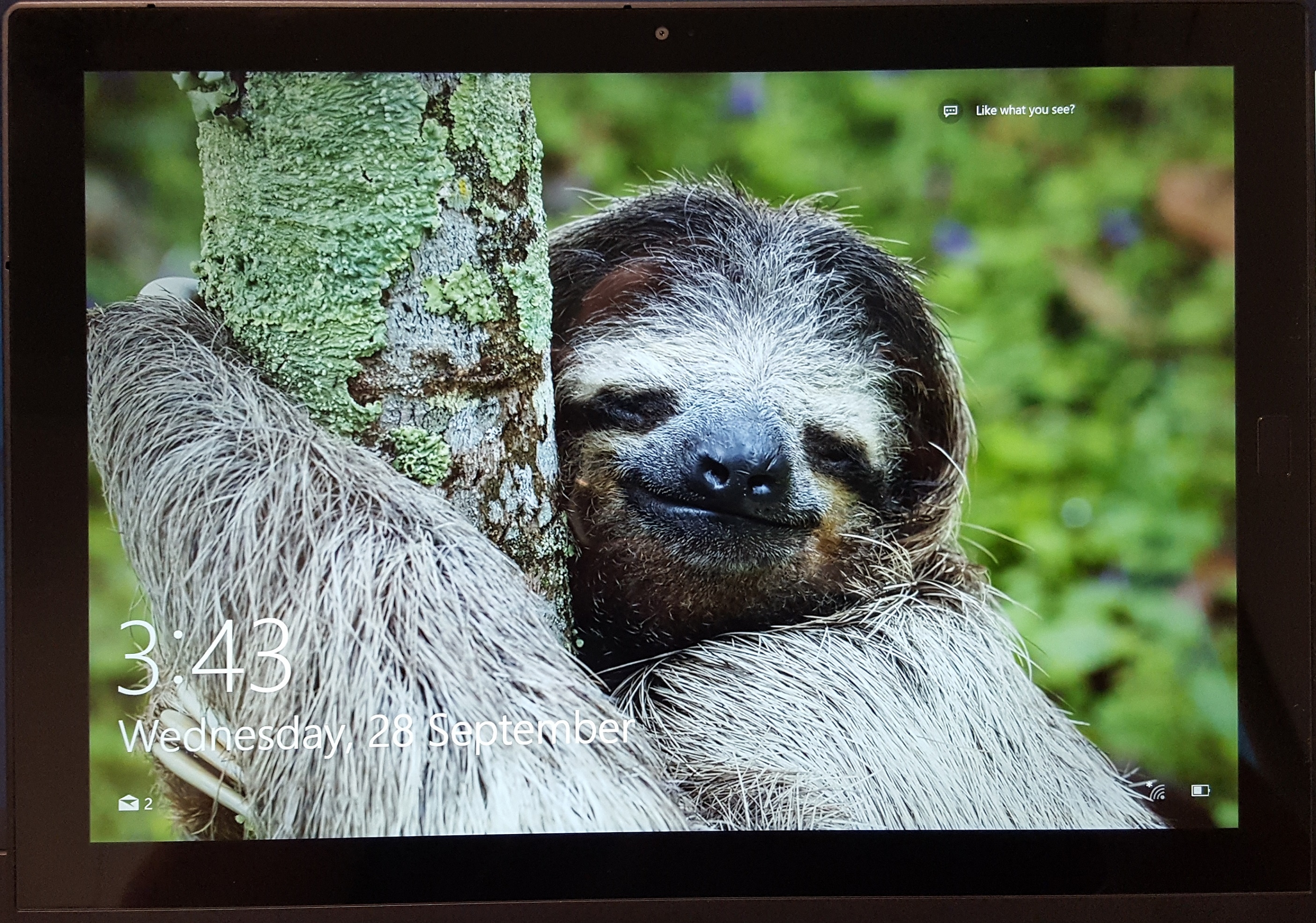
    20160928_15432812″ Screen

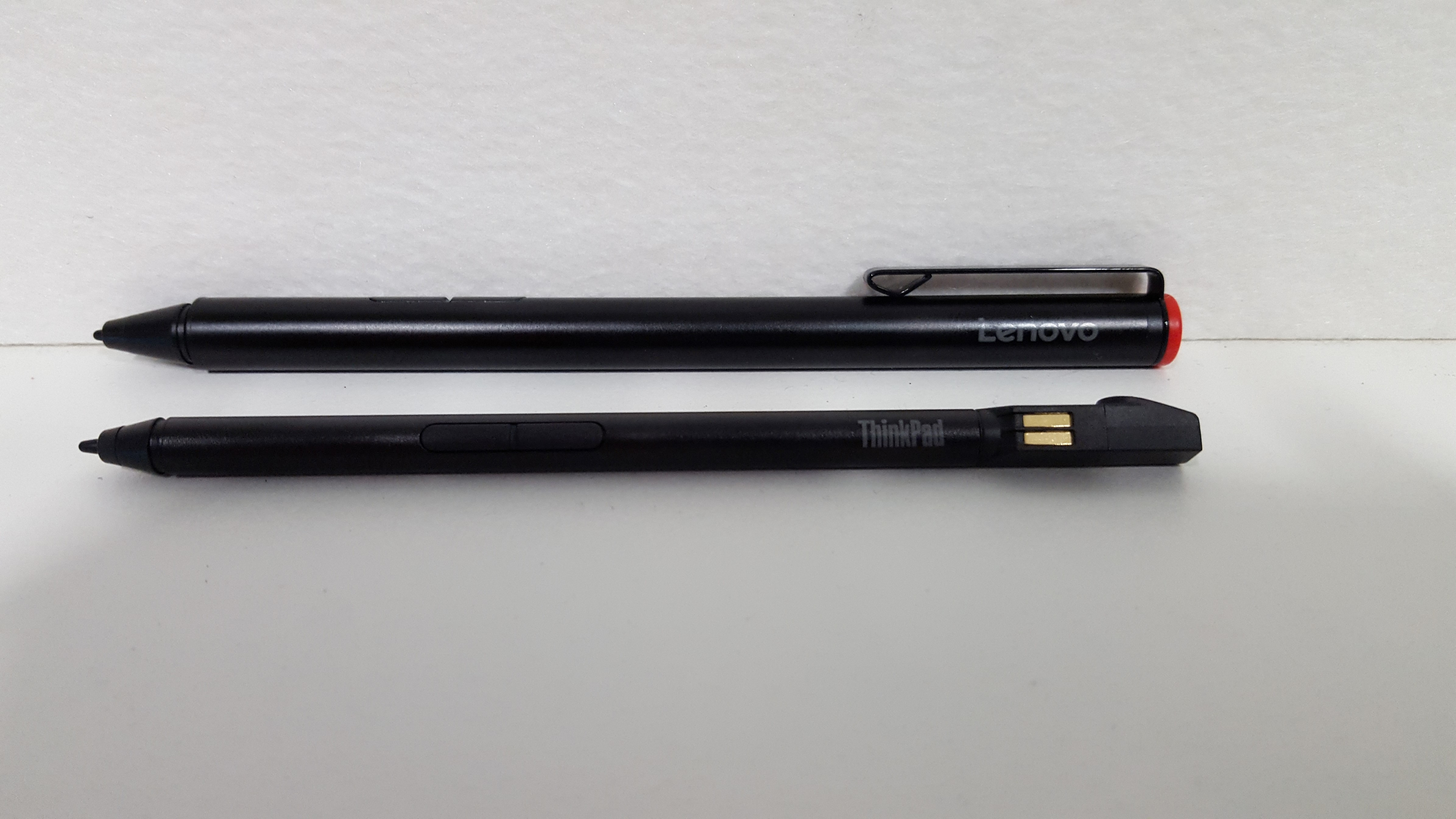
    It’s a very high res which will more than meet your requirements for a 12 inch screen.The screen only comes in touch enabled, but you also get a nice pen to use. It’s similar to the Surface 3/4 pen, uses a AAA battery that can be replaced, and is nicer than the smaller pen that comes with the X1 Yoga:

    20160927_085552-customBack: X1 Tablet Pen. Front: X1 Yoga Pen.

    The Yoga X1 pen is smaller so it can discreetly fit into the laptop, while the X1 Tablet pen sits in an optional loop on the side of the laptop:

    20160926_171934-custom

    If you don’t like the loop, you don’t have to use it as it’s interchangable with a blank plate in the keyboard, which is a nice touch.

    Memory and Hard Drives

    The memory options are:

    • 4.0GB LPDDR3-1866 LPDDR3 1866MHz
    • 8.0GB LPDDR3-1866 LPDDR3 1866MHz
    • 16.0GB LPDDR3-1866 LPDDR3 1866MHz

    If you’re doing anything beyond basic web browsing and Word/Excel type work, or like to have a lot of things open go the 8gb. 16gb should only be needed if you’re doing high end work.

    Same with the hard drives. The default options are:

    • 128GB SSD SATA III
    • 256GB SSD SATA III

    You can go all the way up to 1TB too.

    If you don’t need a lot of local storage, you might be fine with the 128GB. You can always use an external hard drive or USB stick (USB 3.0 is very fast for read/write), but if you want to keep a lot locally on the device, go the 256GB.

    Size and Weight

    The tablet part by itself is 767g which is a lot lighter than any ‘i series’ laptop. The keyboard brings it up to 1.07kg which is still incredibly light. In comparison, the very light and thin X1 Carbon 4th Gen weighs in at 1.21kg.

    Being a 12″ hybrid laptop the dimensions are quite small:

    • Tablet :
    • (mm) : 291.5 x 209.5 x 8.45
    • (inches) : 11.47″ x 8.25″ x 0.33″
    • Tablet + Keyboard
    • (mm) : 291.5 x 209.5 x 13
    • (inches) : 11.47″ x 8.25″ x 0.51″

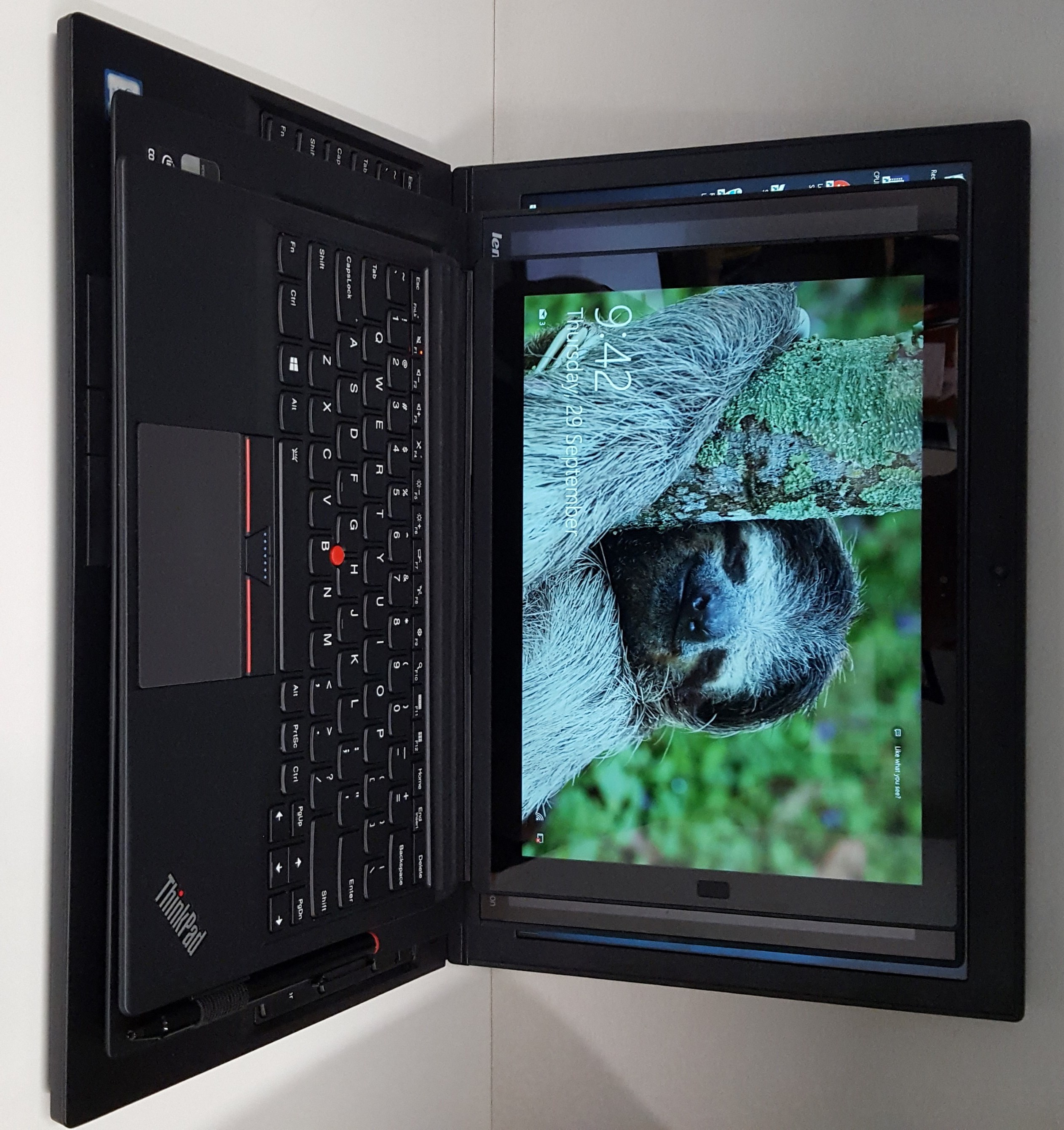
    20160929_094234-customX1 Tablet on a X1 Carbon Gen 1 on a ThinkPad P50

    Battery

    You’ll get a 2 cell Li-Polymer battery, which gives 10 hours of battery in tablet mode, and 5 hours in ‘productivity’ mode, which means the keyboard is attached. If that’s not enough battery life for you, then you’d better have a look at the Productivity Module!

    Productivity Module  – 5 Hours Battery Life, HDMI™, OneLink+ and Full-size USB

    Presenter Module – A Pico Projector Capable of 60″ Display from 2 Meters, Full-size HDMI™ (in/out)

    Sadly these aren’t available in Australia (yet or at all?) but they both sound very cool. The productivity module adds another 5 hours of battery and a few extra connectors (including a OneLink+ dock connector which isn’t available otherwise). The projector also looks great, check out this clip from The Verge showing off the modules (I believe the 3D RealSense Camera has been abandoned):

    Other Bits and Pieces

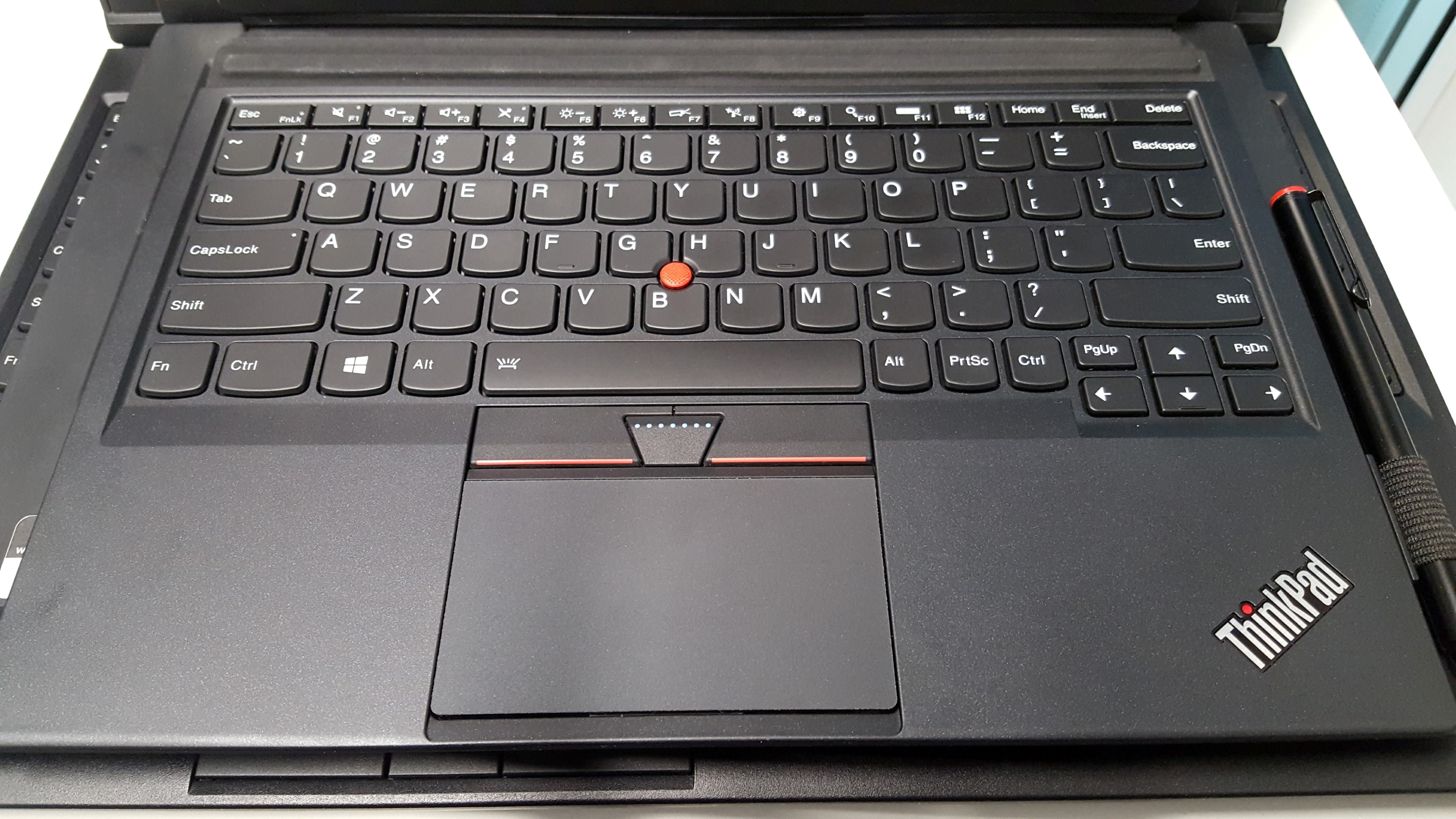
    There is an optional sim slot for those people who want to be mobile and have internet access, which is discreetly hidden behind the stand. The keyboard is one of the standout parts of the X1 Tablet, where it’s as close as possible to the nice ThinkPad keyboard experience while being a thin and light addition. The keyboard attaches via magnets and pins, again similar to the Microsoft Surface. There’s also a fingerprint reader which can be used for Windows Hello, and an inbuilt camera/microphone.

    20160926_172009-customBack of the X1 Tablet

    20160926_172039-customSide on

    20160926_172204-customX1 Tablet display on top of the ThinkPad P50

    20160929_094151-custom-customX1 Tablet Keyboard

    Thoughts

    I was first put off by the ‘m series’ CPU, but after using it and doing a bit of research, it’s a LOT better than I expected. It didn’t feel like I was using a slower chip at all. The form factor is quite nice, 12″ is a good portable size and the kickstand is very sturdy and secure, and lets you adjust smoothly to whichever angle you like (it doesn’t click in certain angles only). The keyboard has a design that lets you raise it from being flat which gets even closer to a chunky keyboard feel, and is even backlit. The Trackpad is of high quality as per usual in the ThinkPad series.

    This is a really good ‘take into meetings’ device for note taking, and if you had the projector module it could add a lot of value for small presentations. It is powerful and useful enough to be your device that does ‘all the things’ too without feeling like you’re using a tablet with a keyboard addon (looking at you, iPad). A lot of people like the 12″ screen form factor with the tablet hybrid mode, and this is the best style of it I’ve seen so far (I was never a fan of the old Thinkpad Helix).

    If you don’t need as much CPU grunt, and want a highly portable device that covers a lot of different situations, I’d definitely recommend this laptop/tablet/hybrid.