Quick tip today about line breaks / carriage returns.
If you want to add multi-line values to an Active Directory field – (e.g. the notes field), it’s not plainly obvious as to how you can type this in a PowerShell command.
One way to pass through an ‘enter’ value is by using a line break. This can be achieved by using:
`r`n
Example:
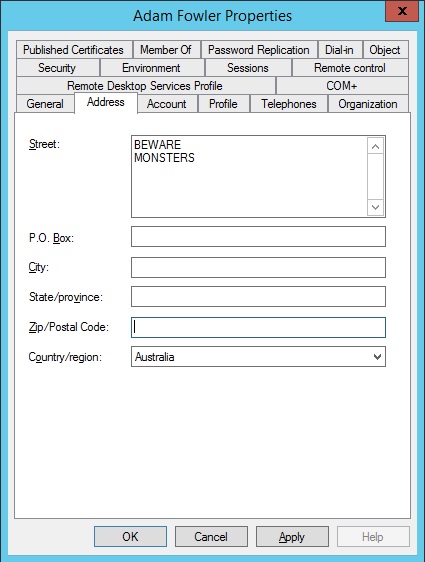
Get all the users who are in Australia (based on their Country/region field being set to Australia), and update the street address two lines of BEWARE and MONSTERS:
get-aduser -properties * -filter {country -eq “Australia”} | foreach {set-aduser $_ -streetaddress “BEWARE`r`nMONSTERS”}
There are no spaces required, it will just drop the text after `r`n to the next line.

If you want to update the notes field, it’s a bit tricker, as you have to use the “-replace” parameter:
-Replace @{Info=”BEWARE`r`nMONSTERS“}
Leave a Reply