After trialing Azure AD Connect Health for Active Directory Domain Services on a single box, I thought it was time to roll out further. It’s easy to do on a Windows Server 2012 R2 box, but older servers need a few more steps.
The Azure AD Connect Health Agent Installation guide mentions steps for 2008 R2, but nothing for vanilla 2012.
I thought I’d try the same patches, which included Windows Management Framework 4.0 through the installer file Windows6.1-KB2819745-x64-MultiPkg – but ran into a problem when trying to install:
Windows Update Standalone Installer
Installer encountered an error: 0x80096002
The certificate for the singer of the message is invalid or not found.
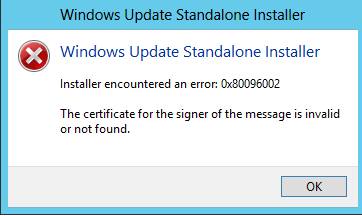
I tried several things to get around this, none of which worked (including adding the Windows Identity Foundation 3.5 role and running “wuauclt /resetauthorization /detectnow“.
An obvious statement was given to me by a colleague of “Isn’t WMF 5 out already?” – which yes, it was. I downloaded Windows Management Framework 5.0 which installed fine first time, then allowed the Azure AD ADDS install to complete after a reboot (a reboot WAS required).
This should also apply to Azure AD Connect Health AD FS Agent (what a mouthful) and Azure Active Directory Connect Sync.
Leave a Reply