
Wanting to have all users to have the country ‘Australia’ in Active Directory, I thought it would be a simple PowerShell command. Get all the users you want and set a field to ‘Australia’. However, it’s more complicated than that.
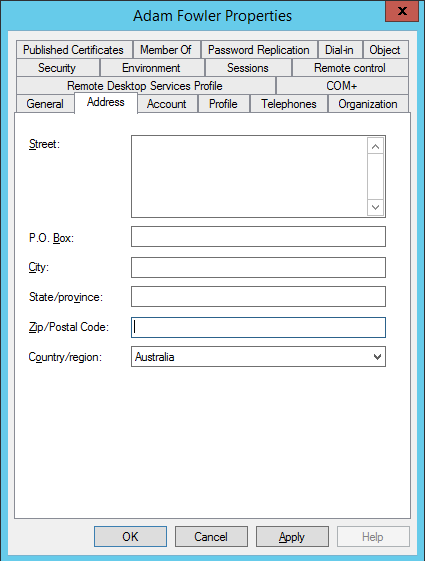
As you can see from the above, the Country/region field is a dropdown, where you can select the country. If you look in PowerShell using ‘get-aduser username -properties *’, there’s 4 fields that get populated with this setting:
c : AU
co : Australia
Country : AU
countrycode: 36
Trying to just change one of these fields will result in an error such as:
Set-ADUser : A positional parameter cannot be found that accepts argument ‘Au’.
Set-ADUser : A positional parameter cannot be found that accepts argument ‘Australia’.
Set-ADUser : A value for the attribute was not in the acceptable range of values
The answer is that all fields need to be set at the same time. The C and Country fields are based on ISO 3166 codes, with Australia being AU and 36.
The resulting command would end up being:
set-aduser adam.fowler -Replace @{c="AU";co="Australia";countrycode=36}
Of course this can be done on a boarder scale by using ‘get-user’ with a larger scope, and piping that into the set-aduser command:
get-aduser -filter "company -eq 'Contoso'" | foreach {set-aduser $_ -Replace @{c="AU";co="Australia";countrycode=36}}
That’s all that’s required to change the field.
Leave a Reply